Change the Pitch Without Changing Tempo: Try Our Free Online Key Changer
Have you ever found a song that feels just a little too high or too low to sing comfortably? I know the feeling. Sometimes moving a song down just one semitone makes all the difference, especially when the chorus has that one note you have to fight to reach.
That’s why we’ve added a free Key Changer at Superbackings. It lets you change the pitch without changing tempo, so you can find a better key for your voice while keeping the song at its original speed.
How to Change the Pitch Without Changing Tempo
Changing a song’s pitch is not the same as slowing it down. If you reduce playback speed, the music becomes slower and the notes go lower together. A pitch shifter changes the notes while keeping the beat and timing where they were.
That matters when you’re rehearsing for a performance. You want the accompaniment to stay at the familiar tempo, even when you decide that the original key doesn’t suit your voice.
Choose an MP3 from your device. The tool accepts MP3 files up to 10 MB.
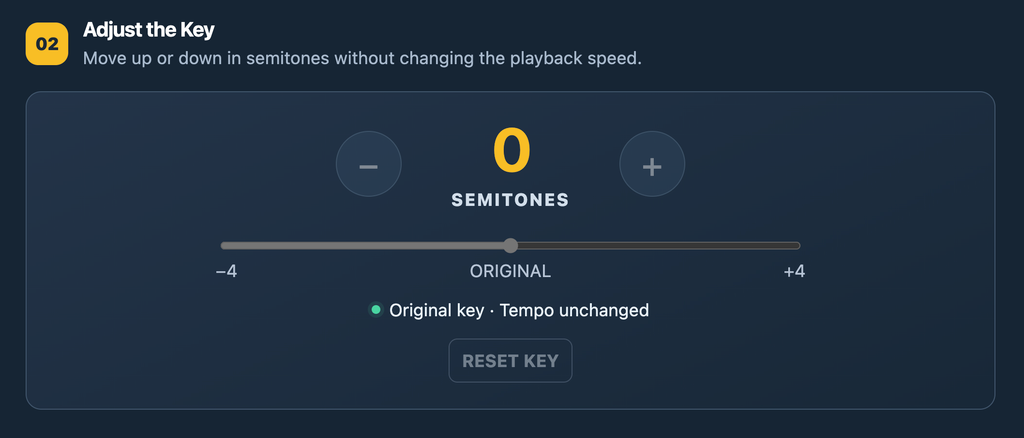
Press Play and adjust the key. Start at 0 for the original pitch. Try −1 or −2 to sing lower, or +1 or +2 to sing higher. The free tool allows adjustments up to four semitones in either direction.
Listen to the entire song. Try the verses and, most importantly, the highest notes in the chorus. You can change the key as you listen without changing the tempo.
Download your adjusted MP3. Once you’ve found a key you like, export the new version.
Choose the number of semitones and listen right away.
How Many Semitones Should You Change?
My advice as a singer is to begin with small changes. One semitone might be enough. If the chorus still feels strained, try two. Don’t judge the key only by the first verse: sing the most demanding part of the song before deciding.
Also, keep in mind that larger pitch changes can affect the sound of an existing recording. For a quick rehearsal or to test an idea, pitch shifting is extremely useful. When you need a track arranged specifically for your voice, a custom backing track may be the better option.
Try It with Your Next Song
Whether you’re preparing for a live show, practicing at home, or checking which key works best before recording, give it a try. It’s free, and you don’t have to install audio software.