Play the guitar yourself.
Mute the recorded guitar stem, keep the rhythm section and perform that part live. It's your arrangement, adjusted to your stage.
NICO STUDIO · YOUR PERSONAL ONLINE MIXING ROOM
You choose the song. We record the instruments. But what if you want the piano a little louder, the guitar completely out, or a different mix for your next performance?
Now you can make those decisions yourself. Every custom backing track produced by Nico Studio comes with access to our Mix and Mastering Suite at no extra cost — a personal mixing space built around the individual instruments of your own production.
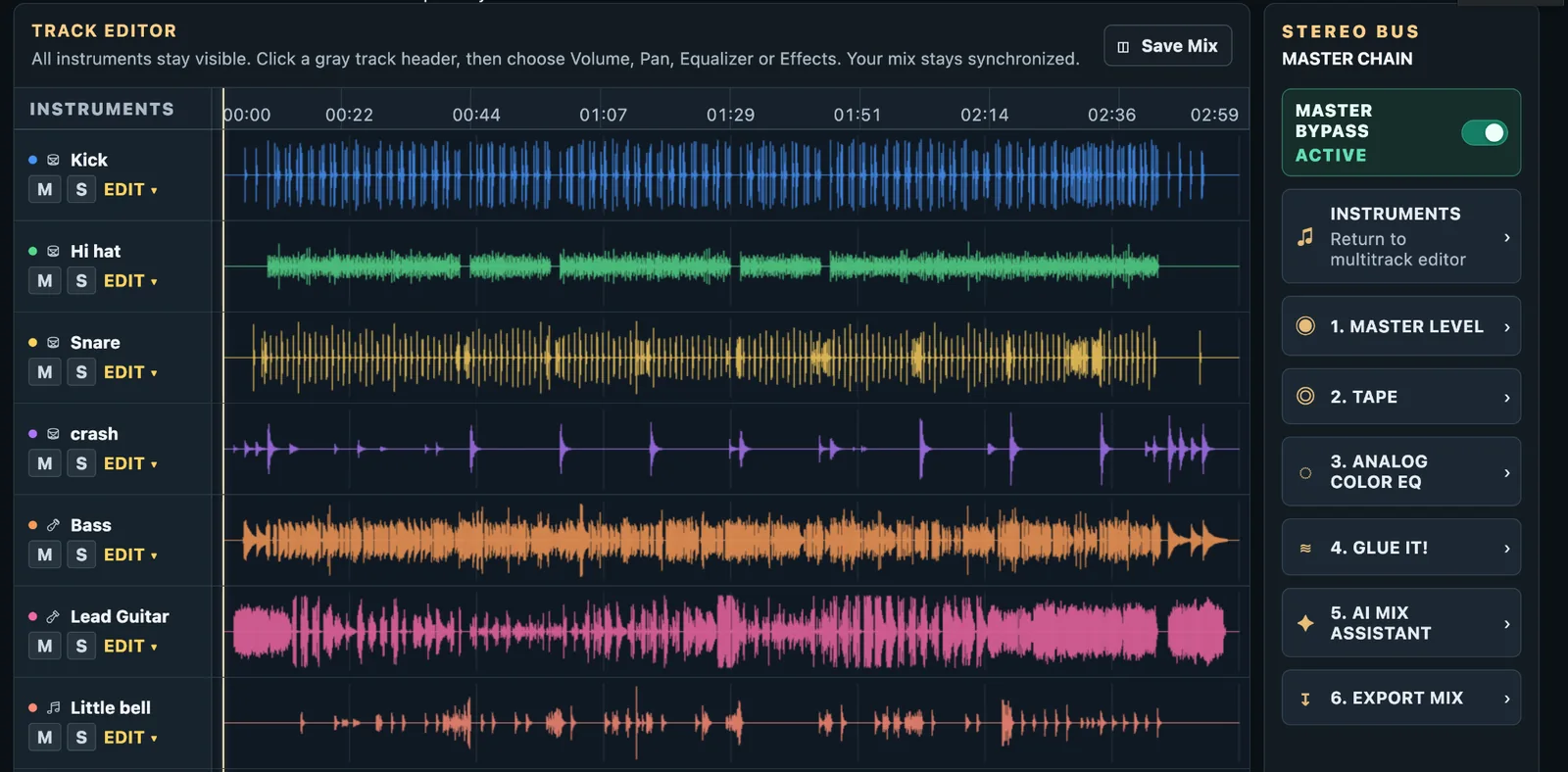
MORE THAN A FINISHED AUDIO FILE
When Nico Studio creates a custom backing track for you, the finished song is only part of what you receive. Along with your ready-to-use WAV and MP3, you get a ZIP containing the individual 24-bit instrument stems that make up your production.
Think of stems as the separate musical parts: drums, bass, guitars, keyboards and the other instruments recorded for your arrangement. Instead of being locked into one fixed balance, you can listen to those parts separately, bring them together in new ways and make a version that feels right for your performance.
And if you already work in a DAW, the stems are yours to use there too. The Suite simply gives you another way to work with them — directly in your browser, without needing to purchase a collection of plugins.
BUILT AROUND THE WAY YOU PERFORM
Maybe you sing with a band one night and perform solo the next. Maybe you want a softer rehearsal mix, or more space around your voice. This is where having the stems changes everything.
Mute the recorded guitar stem, keep the rhythm section and perform that part live. It's your arrangement, adjusted to your stage.
Bring the piano up, lower the backing instruments, or solo a stem to hear the arrangement more clearly while you practice.
Refine the instrument balance, soften a busy frequency range or prepare an alternate mix that suits your recording or performance.
YOUR MIXING TOOLS, ALREADY INCLUDED
You don't need to buy a separate EQ, compressor or reverb just to shape the stems we've recorded for you. The Mix and Mastering Suite brings these essential tools together in a single, approachable workspace.
Turn an instrument up or down. Mute a separate stem to leave that instrument out, or solo it to listen to its part. This is where your alternate arrangements begin.
Place instruments across the stereo field. Give the guitars, keyboards and other parts their own space instead of crowding everything into the center.
Shape the tone of individual tracks. Reduce unwanted low-end weight, gently clear the midrange or add presence when an instrument needs to come forward.
Help an instrument stay more consistent in level. Smooth out peaks, control dynamics and give parts like bass, drums or piano a more even place in the mix.
Add a sense of room, depth or atmosphere with reverb. Use delay for a subtle echo or rhythmic space where the arrangement calls for it.
Let the balance evolve through the song. For example, bring an instrument forward for a short passage and return it to the mix afterward.
Prefer a simple approach? You can start with volume and mute controls alone. You don't need to understand every processor to create a useful mix — and the original delivered files are there when you want to start fresh.
THE FINAL SOUND
Once you're happy with the balance, the master section lets you work on the sound of the full song. You can go from a clean, natural presentation to something a little warmer, smoother or more cohesive — depending on the music.
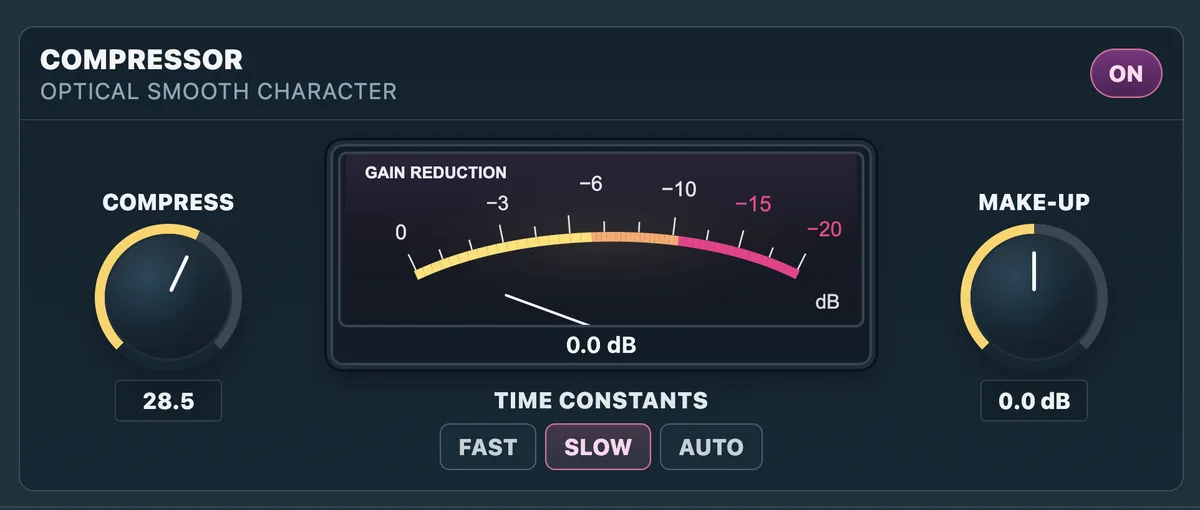
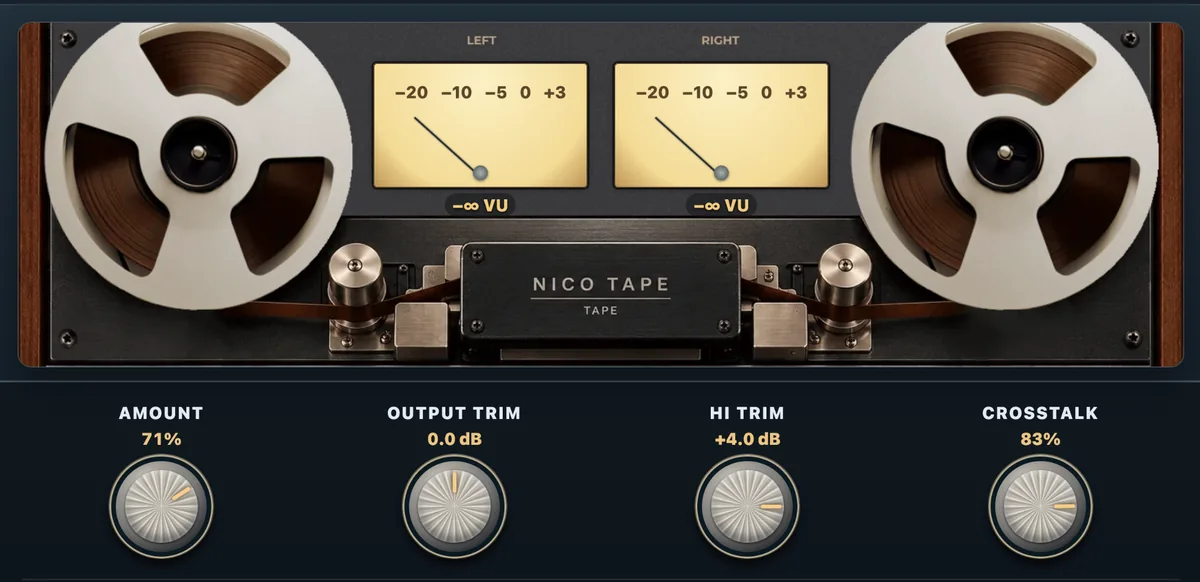
Gently bring the whole mix together. Subtle bus compression can help the instruments feel more connected while preserving the song's natural energy.
Make broad tonal adjustments to the full mix — a little more body, a touch less harshness, or a clearer overall balance.
Add tasteful analog-style character, compare processed and unprocessed sound with Master Bypass, and check the final output level before exporting.
These are creative options, not obligations. Some songs sound best with very little processing. You are free to keep things simple.
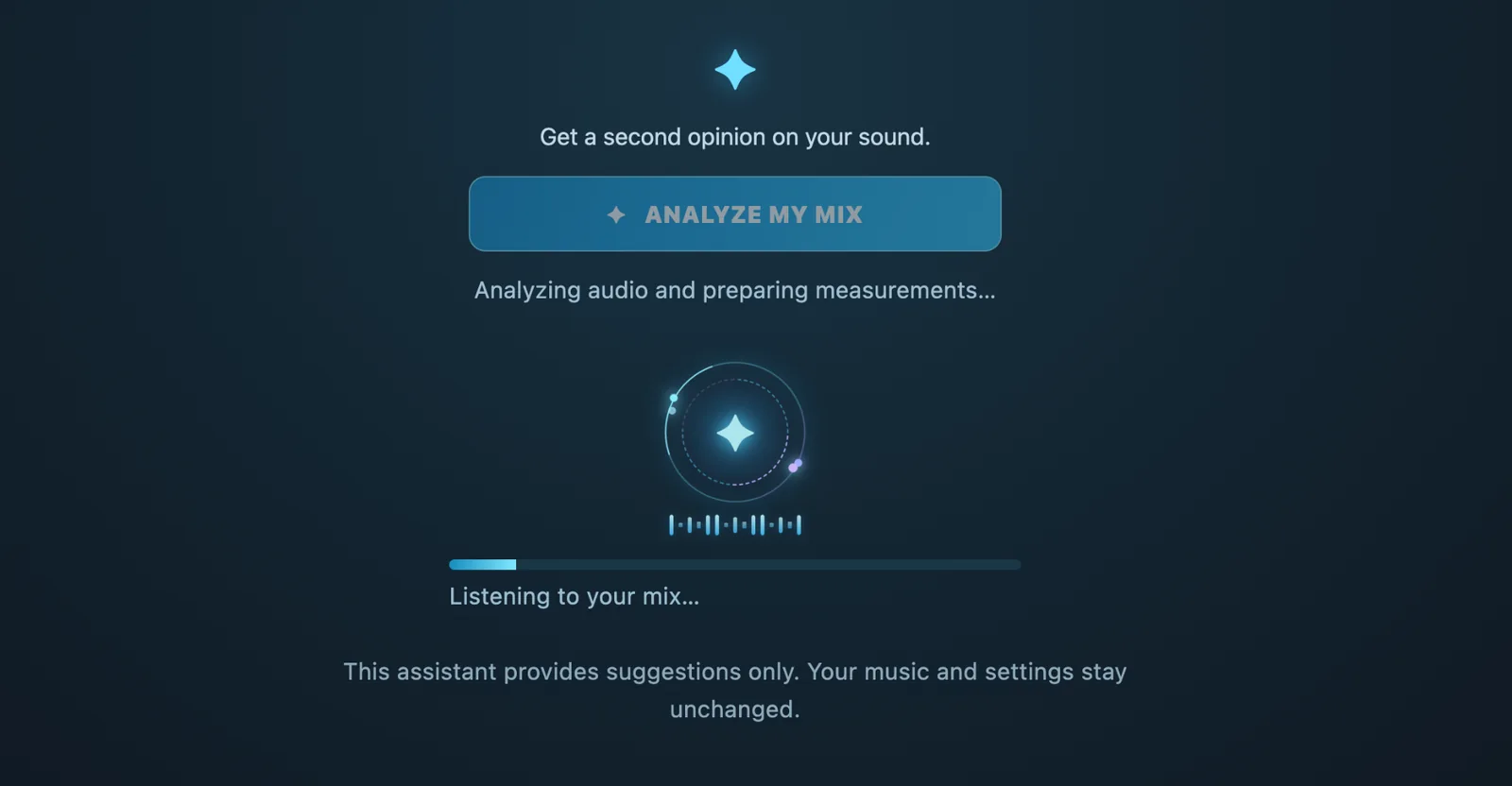
AN EXTRA PAIR OF EARS
Not sure whether your mix is getting too loud? Wondering if you've pushed the EQ or compression too far? The AI Mix Assistant can analyze your mix and highlight technical things worth checking, including possible clipping, unusual EQ choices and excessive compression.
It's there to help you make more informed decisions — not to replace your ears, your taste or the music itself. You remain in control of the final sound.
A little guidance when you need it. Full creative control when you don't.
FROM DELIVERY TO YOUR OWN VERSION
Nico Studio records the arrangement for your project. When it's ready, you receive your finished WAV, MP3 and ZIP of individual 24-bit stems.
Work with the instruments of your own order in the browser. Listen, mute, solo, balance and experiment with the sound.
Use the EQ, dynamics and effects as much or as little as you want, and save your mix so you can come back to your settings.
Prepare your own WAV or MP3 mix for rehearsal, recording or performance — and create another balance whenever your needs change.
YOU'RE NEVER ON YOUR OWN
Of course. You can still ask Nico to prepare the final mix or discuss a particular version for your performance. The Suite doesn't replace that personal service. It simply gives you the freedom to explore and make your own mixes whenever you feel like it.
Your backing track. Your creative choices. Your own pace.
GOOD TO KNOW
Yes. Access is included at no additional cost when you order a custom backing track from Nico Studio. You don't need to buy third-party EQ, reverb or compression plugins to use the tools provided in the Suite.
Yes. If an instrument has been delivered as its own stem, you can mute that track to leave it out of your mix. When several sounds are combined in one stem, they cannot be muted separately.
No. You can use the Suite in a compatible desktop or tablet browser. If you prefer working in your own DAW, the delivered 24-bit stems let you do that as well.
Not at all. You'll receive a finished WAV and MP3, and you can still ask Nico about your final mix. The Suite is an additional option for people who want to experiment or make alternate versions themselves.
No. This offer refers to custom backing tracks recorded by Nico Studio. Pre-produced catalogue tracks available for instant download on Superbackings are a separate product.