Free Online Pitch Shifter for Singers: Change the Key of Your Backing Tracks
Have you ever found the perfect song to sing, only to realize that the chorus sits just a little too high? Or that the lowest notes almost disappear when you try to sing them comfortably?
That’s one of the most common problems singers run into. A song can be wonderful, the arrangement can be exactly what you need, but the original key doesn’t always work for your voice. You shouldn’t have to force the high notes or lose the character of the song just to stay in the same key as the original artist.
That’s why I’m happy to introduce Superbackings Audio Lab, a free online pitch shifter included with eligible individual backing tracks purchased at Superbackings.com. It gives singers a practical way to change a song’s key, listen to the result and prepare a version that feels more natural to perform.
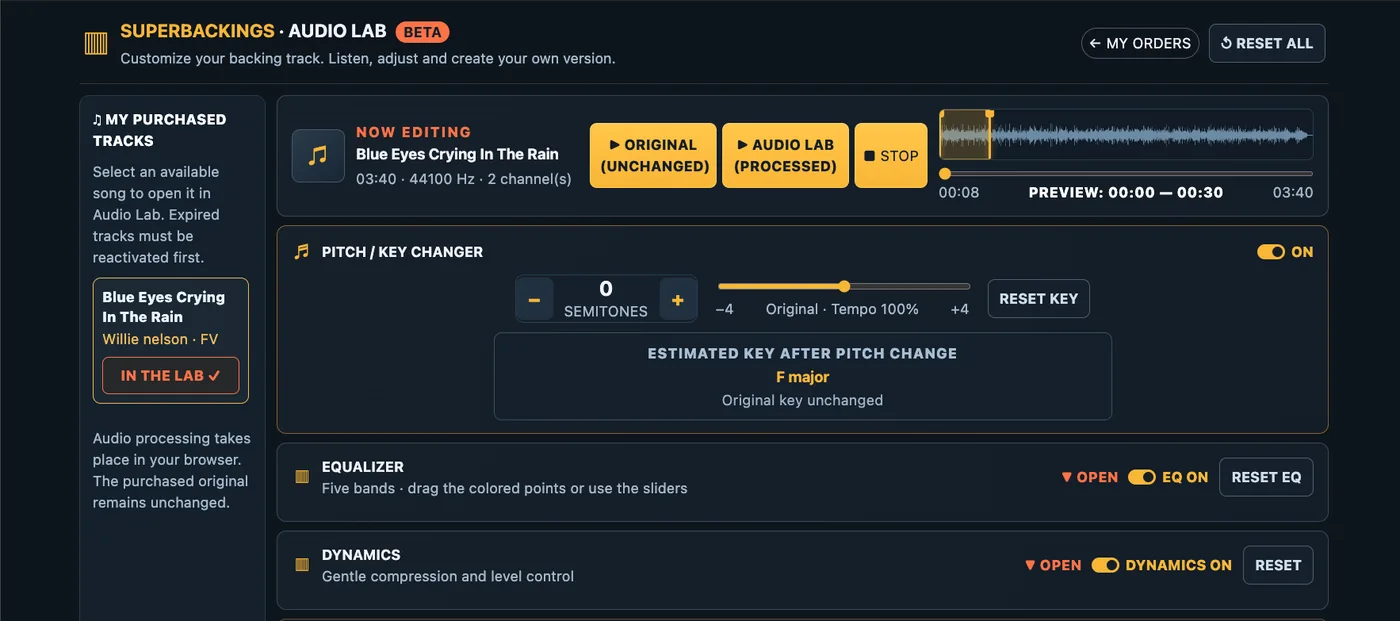
Superbackings Audio Lab: adjust the key of your backing track directly in your browser.
Why changing the key can make you a better singer
As a singer and music producer, I’ve learned that the right key can change everything about a performance. Sometimes the difference between struggling through a chorus and singing it with confidence is just one or two semitones.
Think about the last song you rehearsed. Did you feel relaxed in the verses but tense when you reached the chorus? Did you have to push for a high note, or did the low notes lose their strength? Those are useful clues that the song might be sitting outside your most comfortable range.
Changing the key isn’t taking a shortcut. Professional singers do it all the time. The goal is to find a place where the melody works with your voice, so you can concentrate on phrasing, expression and connecting with the audience.
Meet Superbackings Audio Lab: a free online pitch shifter
Audio Lab is built into the Superbackings experience. Once your purchased track is available in your account, you can open it in Audio Lab and experiment with its key without needing to install audio-editing software.
With the pitch controls, you can move the music up or down by as much as four semitones in either direction, one semitone at a time. The tempo stays the same, so a ballad doesn’t suddenly become faster just because you’ve raised its key.
For example, if a song in C major is too high, moving it down two semitones places it in B-flat major. You can hear that difference for yourself before deciding what works best.
Try a slightly higher or lower key while keeping the original song tempo.
Compare your changes before choosing a key
One of my favorite ways to approach a new song is to sing the hardest part first. Usually that’s the chorus, a sustained note or the transition from chest voice into a higher register. Audio Lab lets you choose a listening section and compare the original with the processed sound, making it easier to decide whether the new key is helping.
How to find the right singing key: a simple rehearsal method
You don’t need to know music theory to make a good decision. Try this approach:
Start with the original key. Sing the chorus, not just the first verse. Notice where your voice feels strained or unusually low.
Move one semitone at a time. If the chorus feels too high, try -1 and then -2. If the melody sits too low, try +1.
Sing the entire range. A lower chorus might feel great, but check that the verses haven’t become too low.
Listen to your tone, not just whether you can hit the note. The best key is often the one where you can sing with control and expression, without pushing.
Rehearse your chosen key a few times. Once it feels comfortable, export the version you’ll use for practice or performance.
Here’s a useful tip: if you’re preparing for a live show, try singing your chosen key at the end of a normal rehearsal, when your voice is a little tired. A key that only works when you’re completely fresh may not be your best choice for a long set.
More than a pitch shifter: shape the sound of your backing track
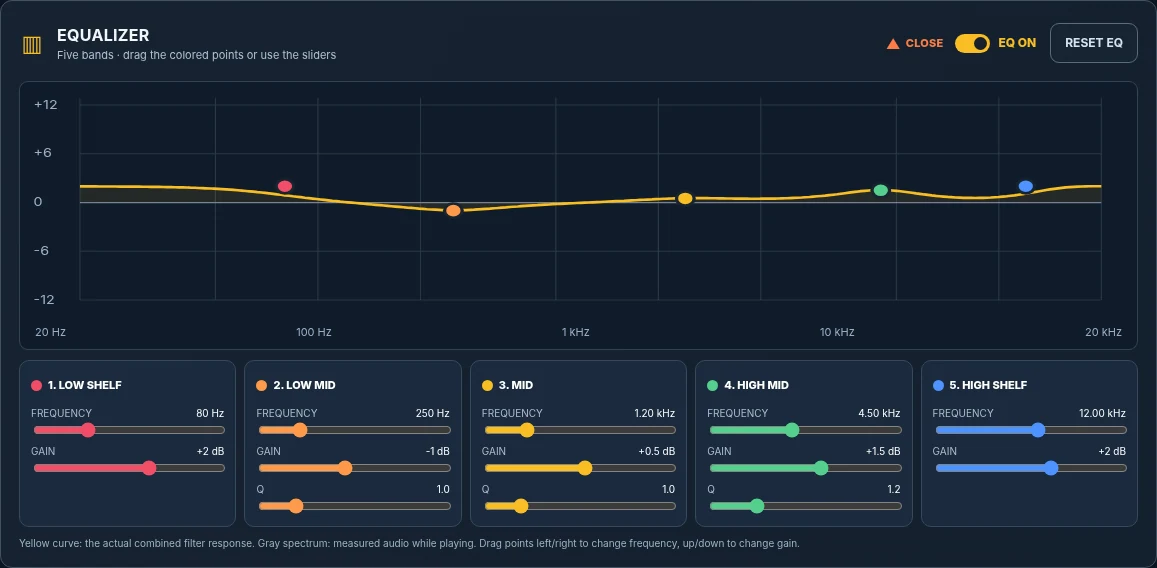
Audio Lab also includes a five-band equalizer and dynamics controls. These aren’t a replacement for a professional mix, but they can be helpful when you’re preparing music for a particular rehearsal space, sound system or playback setup.
Use the equalizer to fine-tune the sound
If the track sounds a little muddy on your speakers, a careful adjustment to the low-mid frequencies may help. If it feels too bright, you can gently reduce some of the higher frequencies. Small changes are usually more useful than dramatic ones.
The five-band EQ gives you additional control over the tonal balance of your music.
Prepare a version for rehearsal or performance
You can also explore gentle compression and output-level adjustments, compare the processed track with the original, and export your finished version as WAV or MP3. The original purchased backing track stays unchanged.
When you’re happy with your adjustments, export your customized backing track.
Where to get backing tracks to use with Audio Lab
At Superbackings.com, you’ll find a large catalog of professionally produced backing tracks covering different artists, styles and songs. Browse the catalog, purchase an individual backing track and, once it’s available in your account, open an eligible purchase in Audio Lab at no additional charge.
For singers, that means you can choose the song you want and then make practical adjustments to suit your own voice. Whether you’re getting ready for an audition, working on your repertoire or rehearsing for the weekend’s show, having the right key makes preparation much easier.
Try the free online pitch shifter for your next song
I’ve always believed that a good backing track should support the singer, not the other way around. Audio Lab is one more way to make the music work for you.