Remove the Vocals From AI Music Without Destroying the Song
in this post I’ll teach you the proper waty to remove the vocals from AI music. AI platforms like Suno and Udio have made songwriting easier than ever. In just a few minutes, anyone can generate a complete song with vocals, instruments, arrangements, and production already included.
For many creators, this is incredibly exciting.
But after generating the song, most people quickly realize something important: they actually want to sing the song themselves.
Maybe the AI voice does not match the emotion they imagined. Maybe they want to release the song with their own vocals, perform it live, or simply make it feel more personal and authentic.
Why It Is Difficult to Remove the Vocals From AI Songs
Most AI-generated music is not mixed the same way as traditional studio recordings.
The vocals are often deeply embedded into the instrumental. Reverb, stereo effects, compression, and frequency overlap make it extremely difficult to isolate the voice cleanly.
Even with advanced vocal remover tools, the final result usually sounds damaged.
Common problems include:
Metallic sounding instruments
Swirling audio artifacts
Missing frequencies
Weak drums and bass
Artificial sounding stereo image
Loss of clarity and punch
In many cases, the instrumental becomes almost unusable after the vocals are removed.
This happens because AI songs are typically generated as a single processed audio file rather than as separate studio stems recorded individually by musicians.
Remove the Vocals From AI the Right Way
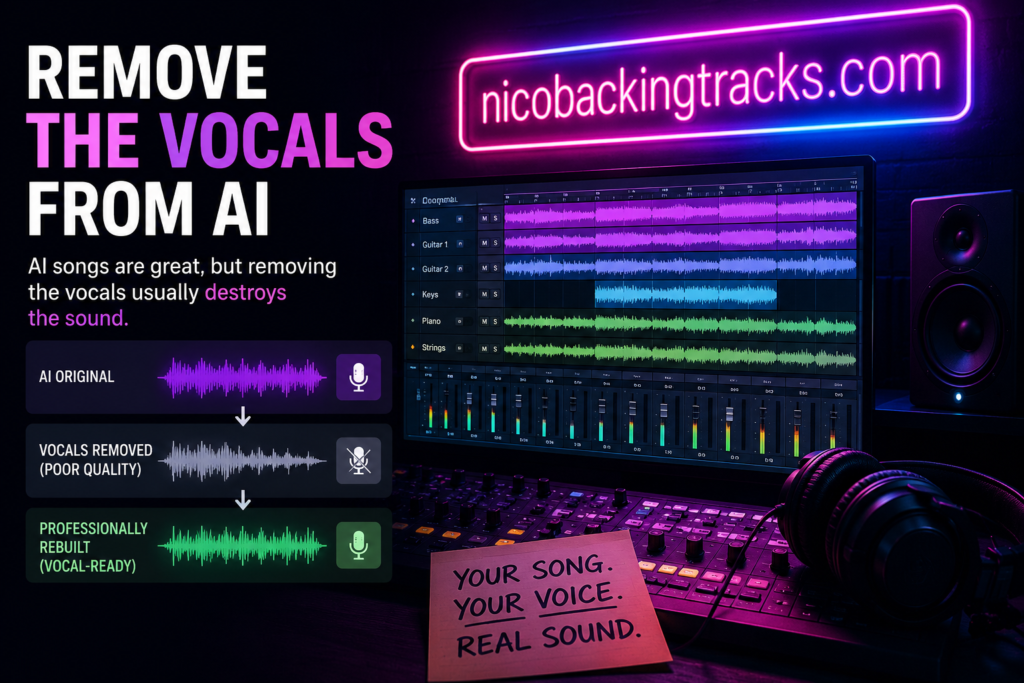
Instead of trying to repair a damaged instrumental after vocal removal, a much better solution is to rebuild the song professionally from scratch.
This approach preserves the original composition while dramatically improving the final sound quality.
Rather than relying on imperfect AI vocal extraction, I recreate the instrumental using professional production techniques and real musical reconstruction.
That means the final result sounds clean, powerful, and natural instead of distorted or artificial.
When I remake an AI-generated song, I focus on maintaining the original mood, structure, melody, and energy while improving the overall production quality.
This process may include:
Reprogramming drums naturally
Re-recording guitars and instruments
Rebuilding bass lines
Improving transitions and dynamics
Enhancing arrangement depth
Creating a cleaner and more professional mix
The goal is not simply to “remove vocals.”
The goal is to create a high-quality backing track that actually sounds professional and enjoyable to sing over.
Why Human Production Still Matters
AI music generation is extremely useful for creativity and inspiration, but audio quality still depends heavily on production techniques.
Human producers understand dynamics, realism, musical feel, and how instruments should interact naturally in a mix. These are details that AI systems still struggle to reproduce consistently.
That is why many AI songs sound impressive at first, but begin to feel flat or synthetic after repeated listening.
A professionally rebuilt instrumental solves many of these issues while giving you complete freedom to record your own vocals naturally.
Final Thoughts
If you want to remove the vocals from AI music, simple vocal remover software is usually not enough to achieve professional results.
The cleaner and more effective solution is to recreate the song properly from the ground up.
This allows you to keep the original idea of the AI-generated track while transforming it into something that sounds organic, polished, and ready for real vocal performance.
Instead of fighting against damaged AI audio, professional reconstruction gives your song a second life.